


Search espresso machine with recipe control family profiles and Google often mixes two kitchens: super-automatic “family” machines that grind, brew, and foam milk in one carousel, and semi-automatic / guided espresso machines that save named recipes on a dual-boiler style workflow. Those are not the same buy.
This Meraki how-to owns a household workflow: name and save each person’s weekday drink, keep a temporary Guest preset that does not overwrite house recipes, reserve a Lab / experiment slot so guidance never freezes dial-in, and run a morning collision checklist when two people brew back-to-back. Soft-link the live posts that already own adjacent lanes — saving recipes for the whole household (what a profile stores), profiles for multiple users (setting wars / household rules), and programmable control and presets (what “programmable” means). Soft-name A063 / A065 (control and usability), A064 (guided first 30 days), A061 / A062 (CoffeeSense honesty and recognition Q&A), and A069 (auto shot-stop tuning) — this page stays on family recipes, guests, and unlocked experimentation.
If you only need a definition of profiles or a peace treaty for setting fights, use those live posts. If you need the operating steps for a shared weekday menu — including guests and experiments — stay here.
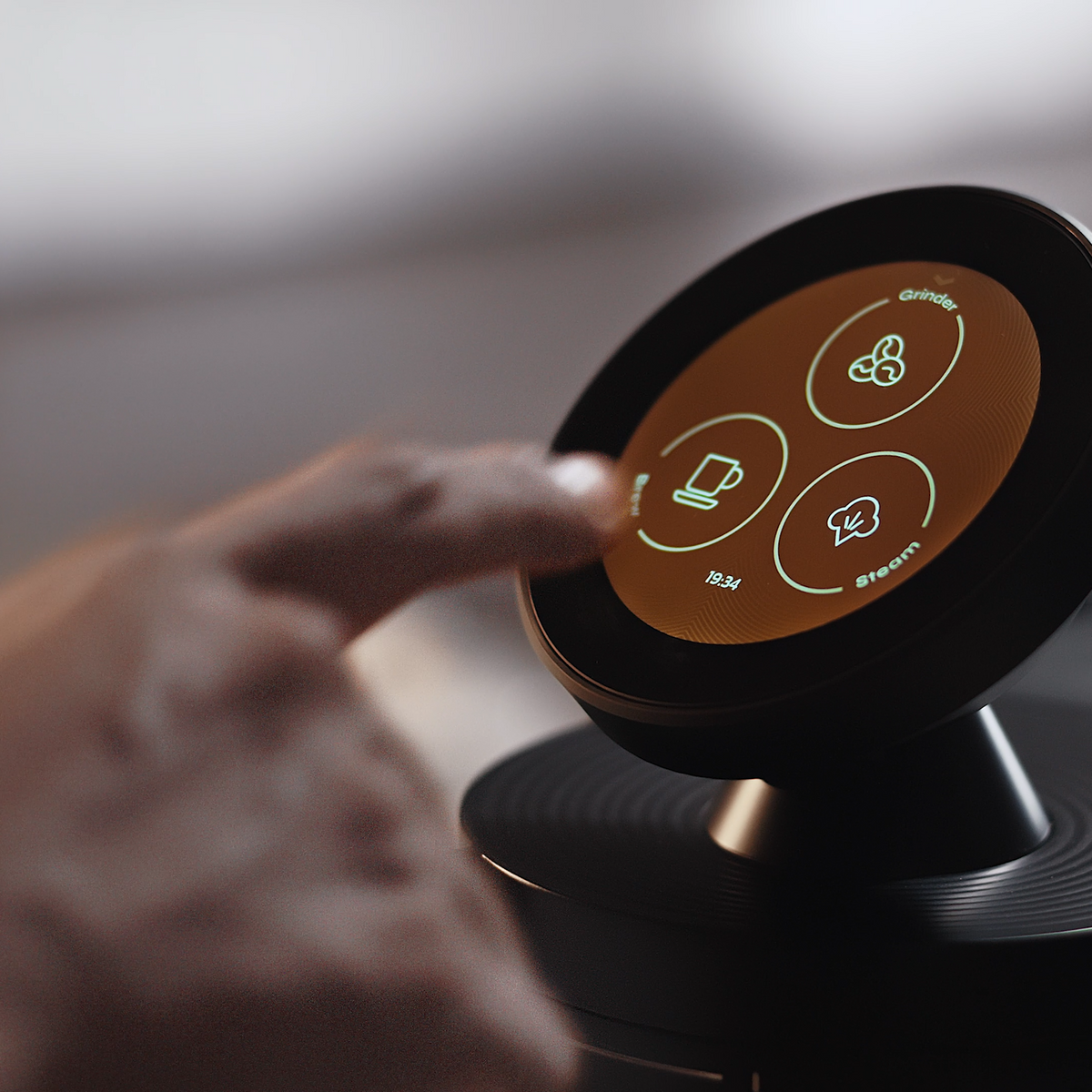
Family recipe control is a weekday menu: pick Alex’s flat white, leave Guest temporary, and keep a Lab slot for Saturday experiments — without rewriting someone else’s house drink.
What “espresso machine with recipe control family profiles” really means for home buyers
Espresso machine with recipe control family profiles, for home buyers, means one portafilter-style machine that stores named drink recipes for different people, plus a way to serve guests and still experiment — not a milk-carousel super-automatic buyer guide.
SERP noise is real. De’Longhi Dinamica-style “family” pages and bean-to-cup profile roundups answer a different kitchen: beans in, drink out, milk often automated. Meraki’s lane here is recipe control on a guided dual-boiler home espresso workflow — grind, brew, and steam with saved targets you can override — not a full-auto milk carousel comparison. Category literacy from the Specialty Coffee Association still starts with grind, dose, yield, and taste; profiles only help when those levers stay visible and editable.
In practice, “family profiles” should answer four kitchen questions: Whose drink is selected right now? Can a guest brew without editing the house? Where do Saturday experiments live? What happens when two people stack drinks before work? If a listing only brags about profile count without naming, guest hygiene, or override, it is selling a feature chip — not a household workflow.
Disambiguate early: this page is a how-to workflow for households, not a rewrite of “what a profile stores,” not a “setting wars” essay, and not a programmable-taxonomy explainer (soft-link those three live Meraki posts above).
Who this page is for (and who should skip it)
This page is for shared-kitchen households — two or more weekday drinkers with different tastes, hosts who brew for guests without nuking house recipes, and enthusiasts who want guidance without freezing Saturday dial-in experiments. Gift buyers who fear “smart recipes” will lock a couple into one compromise drink also belong here: the Lab lane is how experimentation stays allowed after the honeymoon week.
Skip what a profile stores / one-tap household answer if that is all you need. Skip multi-user profiles / household rules if you only want the setting-wars framing. Soft-link programmable control and presets when you need the measurable-vs-craft boundary. Soft-name A063 / A065 for control balance and touchscreen usability; soft-name A064 for a first-month curriculum; soft-name A061 / A062 for CoffeeSense questions; soft-name A069 for auto shot-stop tuning. Come here for: weekday names + Guest + Lab + morning collision.
Skip this page if you want a ranked super-automatic family roundup (Dinamica-class milk carousels) — that is a different SERP job and a different machine class.
Why this is family recipes, guests, and unlocked experiments (not another profiles explainer)
Google already ranks Meraki’s own profile posts for this query. Rewriting “what a profile stores” or “profiles end setting wars” would only cannibalize those pages. Soft-link them; do not clone them.
This how-to owns four practical jobs on one machine:
- Weekday drink recipes — name and save each person’s usual cup (not a generic Profile 1).
- Guest presets — a temporary Guest lane that serves visitors without overwriting house recipes.
- Unlocked experimentation — a deliberate Lab / experiment slot or a hard override habit so CoffeeSense suggestions and house presets never freeze dial-in.
- Morning collision — a short checklist when two people brew back-to-back, with a light dual-boiler readiness bridge (not a dual-boiler essay).
That is the differentiator versus the live Meraki cluster: storage basics and setting-war peace already have homes; programmable taxonomy already has a home; this page is the operating manual for family + guest + Lab mornings. Disclosure: Meraki publishes this guide and sells the Meraki Espresso Machine. Examples follow verified product and FAQ claims only (2026-10-26/27 snapshot). We will not invent remote phone shot-firing, AI taste learning, any-bag NFC, or a fictional “Guest Mode” firmware label if your UI uses different naming — treat Guest as a workflow slot, then map it to whatever your screen actually allows. German Design / Red Dot awards are omitted here on purpose.
Core idea in plain language
A useful family recipe system is a small menu with quarantine rules, not a large library of forgotten Profile numbers.
Weekday names make the usual cups boring and fast. Guest is disposable on purpose. Lab (or a disciplined override habit) is where curiosity lives so house recipes stay stable. Morning collision rules keep two people from arguing about leftover settings while the boilers are ready. Soft-name A063 if you care about control-balance philosophy; soft-name A065 if the blocker is screen usability; soft-name A064 if you still need a longer onboarding curriculum. Soft-name A061 / A062 when the question is CoffeeSense honesty or recognition skepticism — guidance can suggest parameters; it should not silently rewrite your family menu.
Think of the machine like a shared playlist: favorites stay pinned, party mixes get deleted after the weekend, and demos never overwrite the song you actually play on Monday.
Tools and settings to prepare first
Before you name a family menu, gather the few tools and decisions that make recipes repeatable — without turning setup into a lab thesis.
You need a shared naming convention (person + drink beats “Profile 2”), a notepad or phone note for Lab trials you are not ready to save, and a clear rule for Guest: temporary copy, then delete or reset. Agree who is allowed to promote a Lab winner into a weekday name — usually the person who drinks that cup. On Meraki’s guided touchscreen workflow (touchscreen hub), the useful stored numbers are the ones you can see and edit: dose and yield targets, grind cue, and drink path (espresso vs milk drink). CoffeeSense™ can load suggested grinding and extraction parameters after you swipe a Meraki NFC bean bag; you still tap the touchscreen to start, and dual scales can stop grind and extraction at the quantity you accept (live FAQ: “How do I use CoffeeSense™?”). Keep TIMEMORE® mill co-development separate from CoffeeSense NFC guidance.
Physical prep that saves collisions later: clean towels for the steam wand, a knock box within reach of both users, and cups that match each named drink so “Alex’s flat white” is not poured into a demitasse by accident. Soft-name A065 if screen reach or wet-hand taps are the real friction; stay here on recipe lanes.
Also decide readiness habits before collision mornings: dual boilers heat brew and steam paths separately (product FAQ often cites about 3 minutes on 220–240V and about 4 minutes on 100–120V — confirm live). Rotary pump language on Meraki is commonly framed as a steady 9 bar brew path — useful context for why a second person can stack a milk drink without rewriting the first person’s recipe targets. Soft-link dual-boiler page and dual scales explainer; do not re-teach those hubs here.
Step-by-step workflow
This is the how-to heart: four lanes on one machine, in order. Soft-link the live profile posts for storage basics; stay on workflow here.
1) Name and save each person’s weekday drink
Start with the usual cup, not every possible menu item. Dial once when you have time (or soft-name A064 for a guided first month), then save under a human label: Alex — flat white, Sam — straight espresso, Jordan — americano. Prefer person + drink over “Morning” or “Strong.” Cap the weekday menu at the drinks that actually appear before work — a library of twelve rarely used recipes is how people tap the wrong one at 6:50 a.m.
After save, switch away and switch back once to confirm the machine restores the same dose / yield / grind cue — that is the smoke test. If two people share one bean but want different milk drinks, save two names that share the espresso base numbers and differ only where milk volume or texture instructions live in your notes. Soft-link programmable control and presets for what belongs in a preset vs what stays craft (distribution, tamp, steam texture). Soft-link the live household profiles storage post if someone still asks what fields a profile can hold — do not rebuild that table here.
2) Create a temporary Guest profile that does not overwrite house recipes
Guests break households when they “just tweak” the last person’s settings. Give them a Guest slot: copy a mild house espresso or milk drink into a clearly named temporary recipe (Guest — default), or build a short guest drink from CoffeeSense suggestions on a Meraki NFC bag if that is what you are serving. Tell guests which name to tap — put a sticky note on the hopper if your household needs the reminder.
After they leave, reset or delete Guest — do not merge guest experiments into Alex’s weekday flat white. If a guest wants something wild (long americano, split shot, oat milk texture notes), keep those changes inside Guest or a dated Lab name, then throw them away. If your UI lacks a literal “Guest” label, invent the workflow anyway: one sacrificial named slot that house drinkers never use on weekdays. Soft-link multi-user profiles for broader household-rule ideas; this section only owns the temporary Guest lane.
3) Keep a Lab / experiment slot (or a hard override habit)
Recipe guidance freezes experimentation when every good shot overwrites the house preset by accident. Protect a Lab name (Lab — bag trial) for Saturday dial-ins, new bags, and ratio experiments. Rule: Lab may be messy; weekday names stay boring until you intentionally promote a Lab winner.
If your machine only holds a few slots, Lab can be a habit instead of a permanent save: brew from a house name, override grind or yield for the trial, write the winner down, then restore the house name before the next weekday drinker arrives. Soft-name A061 for honesty about extraction after guidance loads; soft-name A069 later if auto shot-stop needs tuning; soft-name A063 when the anxiety is “smart suggestions stole my control.” Override is normal — SCA research and CoffeeGeek guides treat dial-in as living practice, not a one-time firmware event. CoffeeSense suggestions on compatible Meraki bags are a starting point, not a lock.
4) Morning collision checklist (two people, back-to-back)
When two weekday drinks stack, collisions are usually readiness and leftover settings — not personality. Dual boilers exist so brew and steam heat paths can be ready without a single-boiler flip fight — that is the light hardware bridge, not a dual-boiler buying essay (soft-link the dual-boiler page).
- Confirm whose named recipe is selected before grind starts.
- Wait for brew readiness; if milk is next, confirm steam readiness too.
- Empty / wipe the steam wand and knock out the puck between users.
- Check water tank and drip tray once for the pair, not twice mid-argument.
- If Guest is still selected from last night, switch back to a house name before caffeine negotiations start.
- Soft-name A065 if the screen itself is hard to read or recover from a wrong tap; stay here on which recipe is live.
Optional timing habit: person A pulls espresso while person B rinses cups; person B starts milk only after the first portafilter is cleared. The checklist is boring on purpose — boring is how shared machines stay friendly.
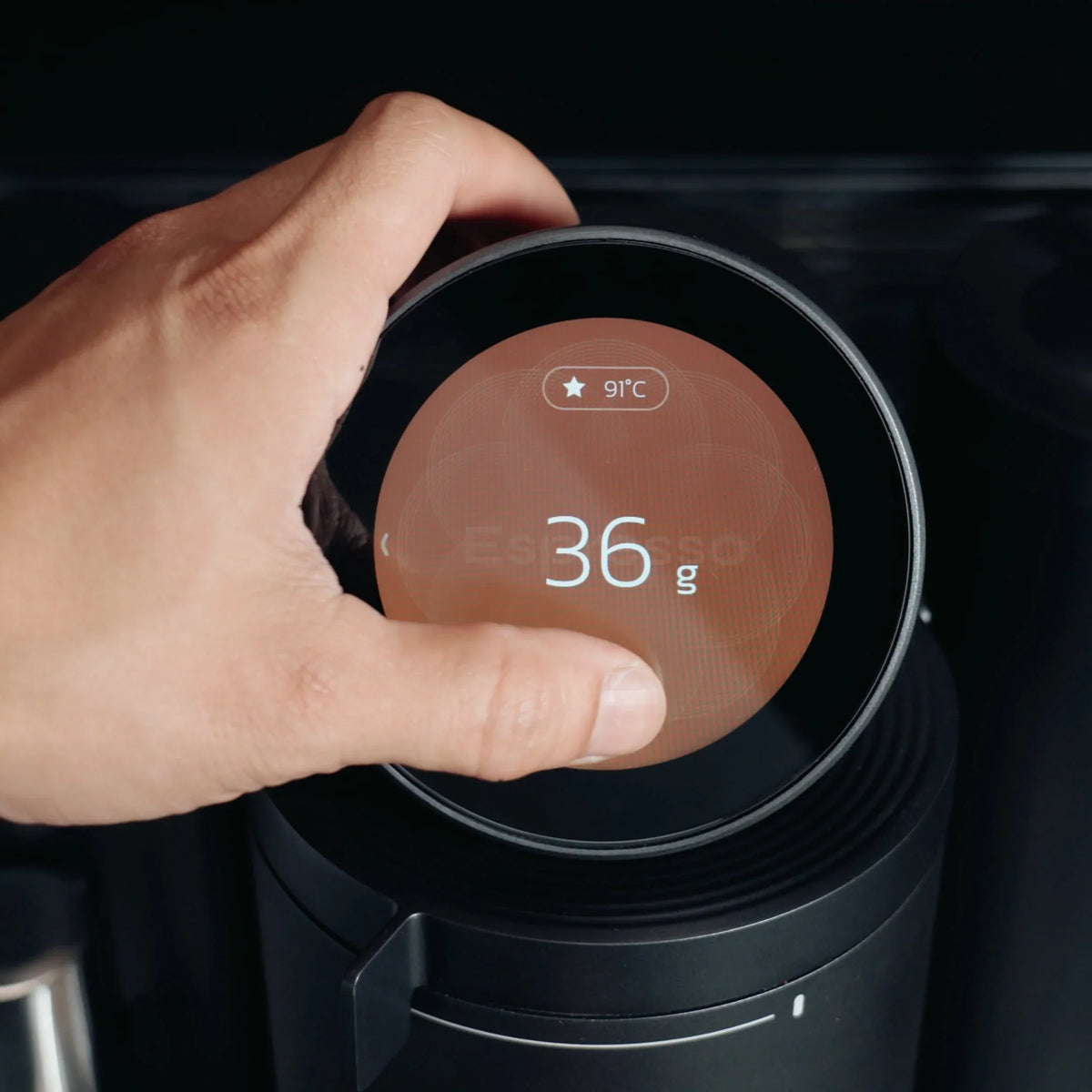
Back-to-back mornings fail less often when the named recipe is confirmed before grind, and brew/steam readiness is checked once for the pair — not renegotiated mid-shot.
Collision failures are almost never “profiles don’t work.” They are leftover Guest selections, dirty wands, and two people dialing the same live recipe in opposite directions. The checklist above is shorter than an argument.
Targets and ranges that keep you out of rabbit holes
Family recipe control fails when every house drink becomes an endless science project. Keep sticky bands, then stop.
Use dose and yield as the household language (NCA brewing overview; NIST is a reminder that a target only helps if you can set and see it). For weekday espresso-style baselines, many homes stay near a familiar brew-ratio band and adjust grind before inventing new numbers — soft-name simple brew-ratio target habits if you already use them; do not open a ratio essay here. Milk drinks need a second agreement: same espresso base, different milk volume / texture, or separate named recipes if bases truly differ.
Protect three numbers on every saved weekday name: dose target, yield target, grind cue. Change one variable when promoting Lab → weekday. Guest defaults should be milder and shorter to explain than house specialty drinks — guests rarely want your longest pre-infusion story before brunch. Soft-name A069 for auto-stop tuning rabbit holes; keep family morning targets boring on purpose.
| Slot | Purpose | Change rule |
|---|---|---|
| Weekday names | Repeatable house cups | Edit only after a deliberate Lab promote |
| Guest | Temporary visitor drink | Reset after visits; never the overnight default |
| Lab | Experiments / new bags | May be messy; do not auto-overwrite weekday |
That table is the whole rabbit-hole fence. Soft-link programmable presets if you need the measurable-vs-craft boundary again.
Common mistakes and quick fixes
Most “profiles ruined our mornings” stories are workflow skips, not missing AI.
- Shopping a super-automatic family SERP for a portafilter workflow. Dinamica-style carousels answer a different job. Fix: decide milk automation vs recipe-control espresso before comparing feature lists.
- Reusing one house preset for every guest. Fix: Guest slot, then reset.
- Saving every Lab trial over a weekday name. Fix: Lab name + intentional promote.
- Skipping the restore smoke test. Fix: switch away / switch back once after save.
- Leaving Guest selected overnight. Fix: collision checklist step 5.
- Expecting remote app shot control. Meraki’s live FAQ emphasizes on-machine touchscreen start after NFC suggestions — do not invent phone-fired shots. Soft-name A063 for control balance.
- Merging TIMEMORE® with CoffeeSense. Mill co-development is not NFC recipe guidance.
- Rewriting what a profile stores instead of naming drinks. Soft-link the live storage post; name weekday cups here.
- Fighting over one “family compromise” recipe. Fix: two weekday names beat one unhappy middle.
- Stacking drinks without clearing the wand and puck. Fix: collision checklist steps 3–4 before blaming the recipe library.
Quick triage: if the cup is wrong but the name on screen is right, tune Lab. If the name is wrong, stop dialing — switch profiles first.
How to taste and decide what to change next
Taste decides promotion from Lab to weekday — not a firmware badge.
Pull the house recipe as a control, then the Lab candidate side by side when you can (or sequential within ten minutes). Ask only: sour / bitter / thin / heavy relative to the house cup? Change grind first for timing and extraction feel; change dose or yield second if strength or volume is the complaint (Barista Magazine and SCA materials stay useful for shared language). Write the winner in one line — Lab 2026-10-27: grind +1, yield same — then either promote into a weekday name or discard.
If a guest liked a one-off, copy it into Guest or a new named drink — do not silently overwrite Sam’s espresso. Soft-name A061 when guidance looked “right” on screen but the cup disagreed. Soft-name A062 if the shopping question is whether bean-recognition marketing matches your bag reality. Household peace often means two weekday names that are “good enough,” not one perfect compromise nobody likes.
A one-week practice or habit plan
Treat week one as habit installation, not a roast competition. The goal is muscle memory for which name is live, not a medal for most profiles created.
| Day | Habit | Done when |
|---|---|---|
| Mon | Name + save two weekday drinks | Restore smoke test passes |
| Tue | Run both named recipes back-to-back | Collision checklist used once |
| Wed | Build Guest default; serve one visitor or simulate | Guest reset after |
| Thu | Open Lab; change one variable only | Notes written; weekday names untouched |
| Fri | Promote or discard Lab | Weekday menu still boring |
| Sat | Optional CoffeeSense suggestion on a Meraki NFC bag | Override if cup disagrees |
| Sun | Rest — drink house recipes only | No new saves |
If someone misses a day, skip forward — do not stack two Lab days and “fix” a weekday name under fatigue. Soft-name A064 if you want a longer guided curriculum; this week only installs family lanes. Soft-name A065 mid-week if wrong-tap recovery or screen readability is blocking the habit. By Sunday night you should know four names by heart: two weekday drinks, Guest, and Lab — and which one must never be left selected overnight.
When to stop tweaking and just drink
Stop when weekday names produce cups people actually finish without renegotiating at the machine.
Signs you are done: Guest resets cleanly, Lab experiments stay quarantined, and morning collisions are a checklist — not a debate. If someone still wants to “improve” a weekday name every day, park that energy in Lab for a week and only promote on Fridays. Soft-name A065 if friction is the screen itself; soft-name A063 if the issue is over-automation anxiety. Keep support (+1 833 854 9555, Mon–Fri 9 AM–5 PM EST) and the refund policy handy during a trial if recipe restore misbehaves — confirm live wording the day you buy.
Which espresso machines have flow profiling?
Some prosumer and commercial machines advertise flow or pressure profiling as a separate feature class.
That is not the same question as family recipe profiles. Flow profiling is about shaping flow/pressure across a shot; family recipe control is about saving named household drinks, guests, and experiments. You can want both someday — but shopping them as synonyms creates bad comparisons and bloated menus. Soft-link programmable control and presets for Meraki’s measurable preset boundary. Do not treat this page as a flow-profiling buyer guide — keep that PAA light and move on.
Is there a programmable espresso machine?
Yes — many home machines store and repeat settings; “programmable” ranges from simple volumetric buttons to guided recipe libraries.
Meraki frames programmability as saved, editable measured targets (dose, yield, temperature, grind cues) with craft steps still in your hands — soft-link the live programmable control and presets explainer rather than rewriting that taxonomy here. Family profiles are one use of that library: weekday names, Guest, and Lab. If a product page says “programmable” but cannot restore a named recipe after you switch away, it is not ready for the household workflow in this article.
FAQ
Which coffee machines can be controlled by an app?
Some drip makers, bean-to-cup machines, and prosumer setups offer companion apps for recipes, scheduling, or monitoring. For Meraki, treat the live FAQ and product pages as the source of truth: CoffeeSense guidance and brewing start are described as on-machine NFC + touchscreen actions in the FAQ snapshot used for this article. Do not assume remote phone shot-firing unless Meraki explicitly publishes that claim — this guide does not invent it.
How is this different from a De’Longhi Dinamica-style family machine?
Those SERP “family” pages usually mean super-automatic drink menus with automated milk paths. This article is about recipe-control / named profiles on a dual-boiler style home espresso workflow (portafilter, steam wand craft, saved targets). Compare categories before comparing profile counts.
Should guests use a house profile or a Guest slot?
Use a Guest slot (or any sacrificial named recipe). Guests should not edit weekday names. Reset Guest after visits so temporary taste experiments do not become permanent household settings.
Will CoffeeSense overwrite my family recipes?
CoffeeSense (live FAQ) loads suggested grinding and extraction parameters from a Meraki NFC bag; you tap the touchscreen to start. Treat suggestions as a starting point — save into Lab or a new name if you like them; do not casually overwrite a weekday house drink. Soft-name A062 for recognition shopping questions.
How is TIMEMORE® related to family profiles?
TIMEMORE® appears in Meraki materials as grinder co-development. Family recipe profiles and CoffeeSense™ NFC guidance are separate claims. Do not merge them into one “AI family grinder” story.
Conclusion
Family recipe profiles on a home espresso machine are a how-to workflow: named weekday drinks for each person, a temporary Guest lane that does not overwrite the house, a Lab slot (or override habit) so guidance never freezes experimentation, and a morning collision checklist when two people brew back-to-back — not a super-automatic milk-carousel roundup, and not a rewrite of Meraki’s live “what a profile stores,” “setting wars,” or programmable-taxonomy posts.
Choose this path when your kitchen problem is shared mornings with different tastes, not when you only need milk automation from a bean-to-cup carousel. Keep the weekday menu small, quarantine Guest and Lab, and confirm the named recipe before grind.
If that workflow matches your kitchen, start on Meraki’s touchscreen espresso machine for home page and confirm live FAQ wording before you buy. Recipe restore or trial questions: support at +1 833 854 9555, Mon–Fri 9 AM–5 PM EST.


