

Follow the sequence
Grinding, dosing, brewing and steaming are presented as one connected workflow instead of separate tools and disconnected controls.
 [countryName]? Switch to your local site for purchasing and region-specific info.
THE RECIPE, CLEARLY IN VIEW
Grinding, dose, yield, temperature and steaming come together on one guided interface—while the hands-on decisions remain yours.
SET · SEE · ADJUST · REPEAT
MORE THAN A DISPLAY
The useful question is not whether a machine has a screen. It is whether the interface helps you understand, adjust and repeat the recipe.
Grinding, dosing, brewing and steaming are presented as one connected workflow instead of separate tools and disconnected controls.
Dose, yield, temperature and other recipe settings stay visible so adjustments have context.
Weight-based stopping and saved targets help turn a successful cup into a recipe rather than a memory.
GUIDANCE WITHOUT A CLOSED PROCESS
Meraki remains semi-automatic. You select the coffee, adjust the grind, prepare and tamp the portafilter, and decide how the recipe should taste.
The touchscreen coordinates measurement and feedback around those decisions. It reduces scattered steps without turning espresso into a sealed one-touch process.
COMPARE THE EXPERIENCE
Different interfaces suit different buyers. The best choice depends on how much involvement and visibility you want.
THE HARDWARE BEHIND THE INTERFACE
Meraki connects its interface to professional-style brewing hardware and built-in measurement.
The built-in dose scale measures the coffee before brewing begins.
Explore grinding → THERMAL CONTROLSeparate brew and steam systems keep two different heat jobs available.
Explore dual boilers → PRESSURE CONTROLSmooth nine-bar pressure supports the extraction shown on the screen.
Explore rotary pressure →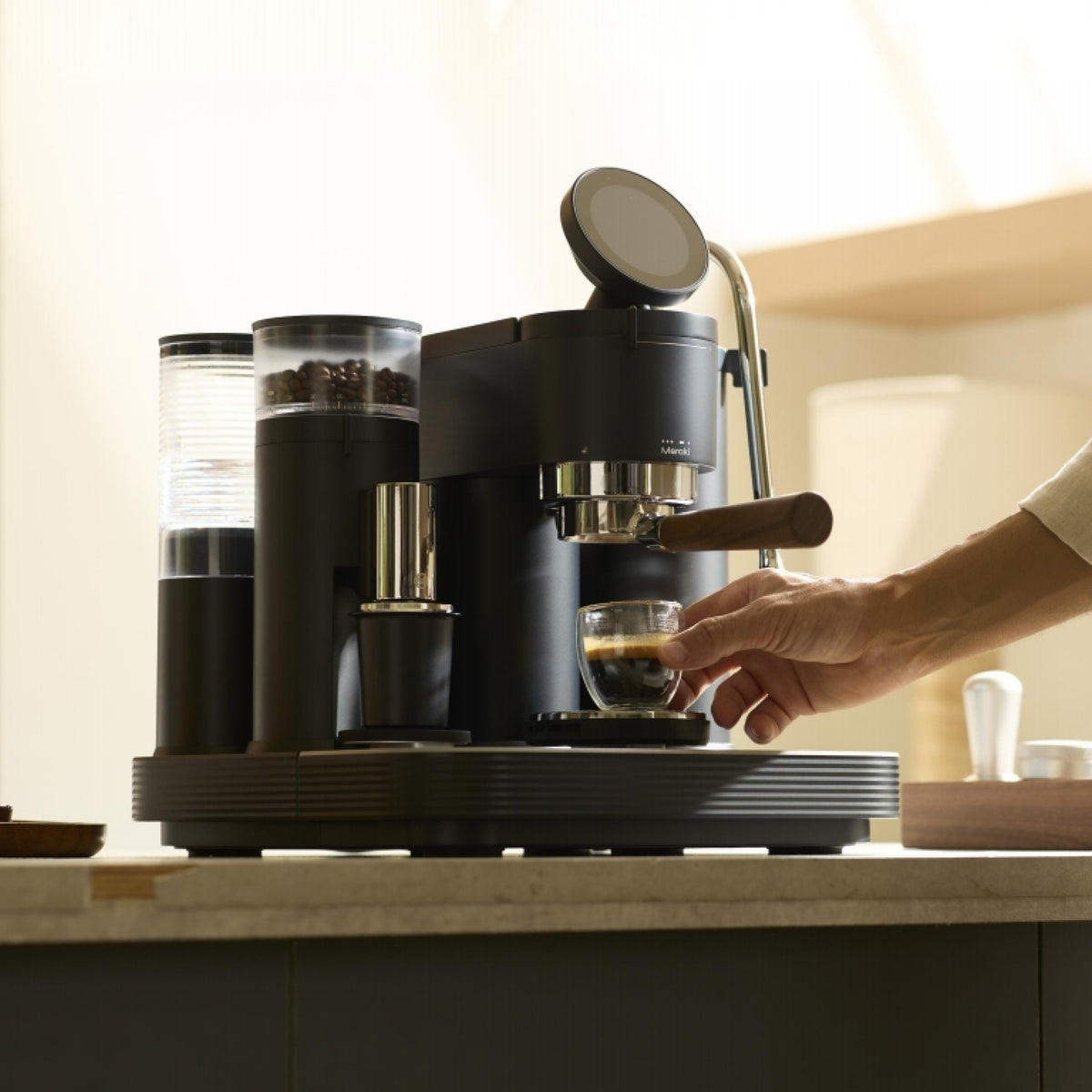
THE MERAKI ESPRESSO MACHINE
Control a connected semi-automatic workflow with built-in grinding, dual scales, dual boilers and rotary-pump pressure.
$2,799.00
Check current availability30-day home trial · 2-year warrantyBUYING GUIDANCE
It is an espresso machine that uses a digital touch interface to display or adjust brewing functions. The value depends on what the screen controls and how clearly it supports the workflow—not the presence of a display alone.
No. Meraki is semi-automatic. You prepare and tamp the portafilter and control the recipe, while the touchscreen, grinder, scales and sensors coordinate measurement and guidance.
The interface supports the connected grinding, dosing, brewing and steaming workflow and makes relevant recipe settings and feedback visible. Available functions should be confirmed against the current product software and manual.
It can reduce the learning curve when it presents the steps and measurements clearly. Beginners still need to learn beans, grind adjustment, puck preparation and milk technique on a semi-automatic machine.
Not by itself. Espresso quality comes from the grinder, coffee, preparation, temperature, pressure and recipe. A useful interface helps you control and repeat those variables more clearly.
Yes. Meraki is designed to provide guidance while retaining adjustment of important recipe variables, rather than limiting the user to a sealed one-touch process.
Follow the troubleshooting and service process in the current product documentation. Internal electrical or display repairs should be handled through authorized support.
A touchscreen can organize settings, prompts and live feedback in one interface. Its usefulness depends on whether it connects to meaningful controls and measurements. A decorative screen does little; a well-designed interface can make a complex semi-automatic workflow easier to understand.
Traditional buttons, switches and dials provide direct physical control and may appeal to users who prefer a mechanical routine. A touchscreen can place more settings and feedback in one location, although buyers should consider interface clarity, responsiveness and long-term service support.
A screen does not define the automation category. Fully automatic machines normally complete most preparation internally after a drink is selected. Meraki uses a touchscreen within a semi-automatic workflow, leaving portafilter preparation and recipe decisions with the user.
Useful information relates directly to the recipe: dose, yield, temperature, brewing progress and guided next steps. These measurements help only when supported by capable hardware, appropriate coffee and consistent preparation.
A clear sequence can help a new user form better habits, while adjustable targets give an experienced home barista room to refine the recipe. The goal is not to remove involvement but to make cause and effect easier to see.
Read what a touchscreen espresso machine is for the informational overview, or explore the complete professional home espresso system.