


You finally open the recipe menu — and every drink tile looks equally important. A programmable espresso machine profiles that help search rarely needs another feature brochure. It needs a useful-versus-gimmick judgment: which brew, steam, and recipe presets actually shorten weekday mornings for beginners and intermediates, which ones become rabbit holes, and how to save the useful ones without rewriting the machine every sunrise.
This Meraki how-to owns that judgment plus a practice workflow: prepare the station, save useful profiles step by step, keep targets boring, fix common profile mistakes, taste with one variable, run a one-week habit plan, and know when to stop tweaking. It is not a rewrite of Meraki’s programmable control and presets page (that page owns the programmable boundary — what should be measured vs left as craft). Soft lanes: touchscreen for home for interface framing; steam technique and milk-temperature sensor pages for wand craft; first-week / first-30-days curricula for general onboarding. Use those for their jobs; use this page when the open question is which profiles help — and which should you refuse?
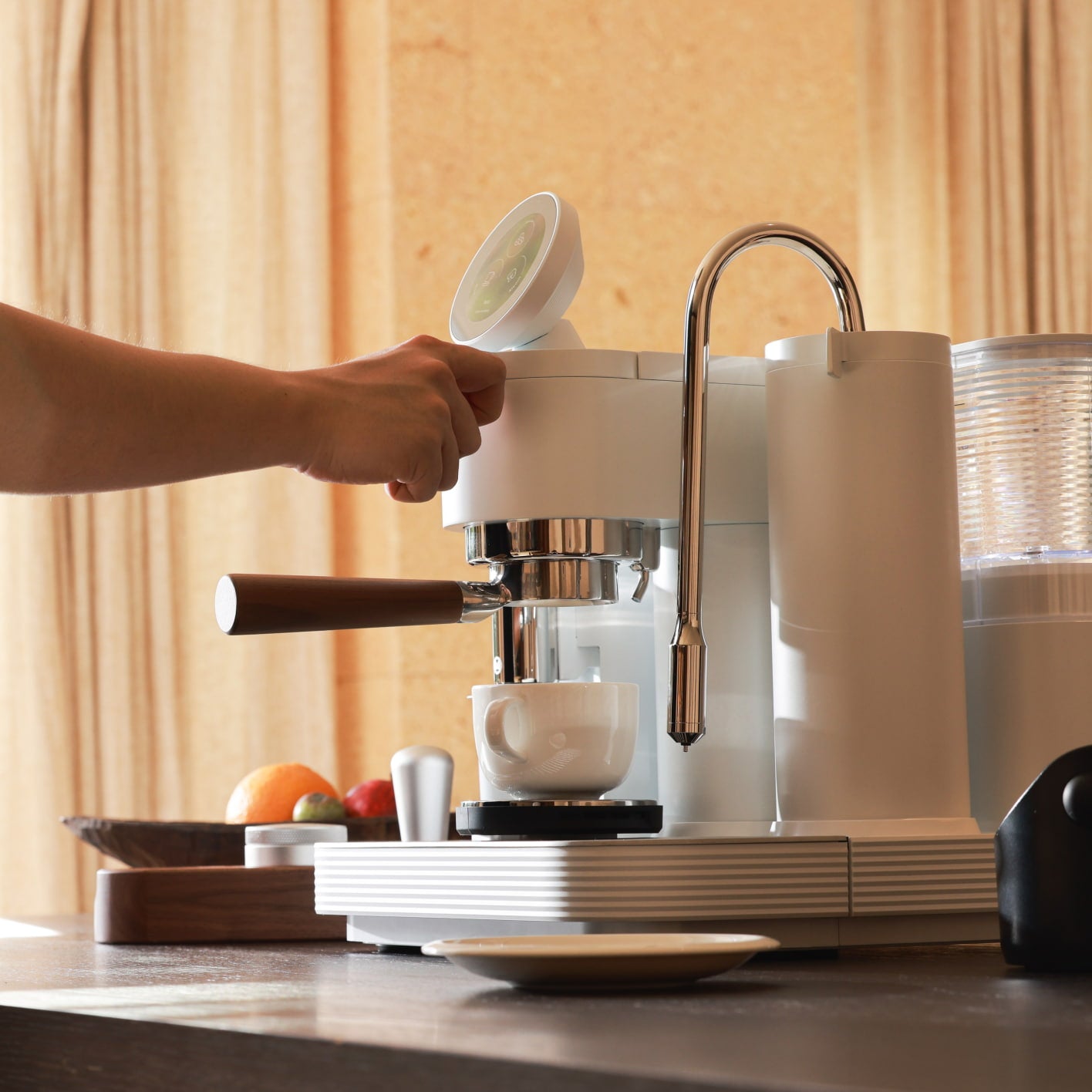
Useful profiles lock dose, yield, and one weekday drink — they do not invent a café museum of unused tiles.
What “programmable espresso machine profiles that help” really means for home buyers
Useful profiles are saved brew and recipe targets you will actually select on a weekday — not every programmable tile the menu can hold.
Search for programmable espresso machine profiles that help often lands on pressure-profiling threads, smart-profiler accessories, or “programmable timer” blurbs. Those pages chase capability. Home buyers who already own (or are about to own) a guided programmable semi-automatic need something narrower: a way to tell helpful presets from gimmick rabbit holes, then a workflow to save only the helpful ones.
Helpful, here, means a profile that removes weekday guesswork on numbers you can measure — dose, yield, temperature setpoint, and a named drink path — while leaving distribution, tamp, and steam texture in your hands. Gimmick, here, means a profile you save because the menu looked incomplete without it, a second nearly identical latte “for science,” or a pressure/flow experiment you cannot taste-name yet. Treat the keyword as a judgment + practice brief, not as permission to fill every slot.
Who this page is for (and who should skip it)
This page is for beginners and intermediates who want programmable profiles that help on busy mornings — and a plan to stop chasing unused recipes.
Skip the programmable boundary explainer — programmable control and presets and the broader what is a programmable espresso machine guide. Skip interface shopping — touchscreen espresso machine for home. Skip general first-week or first-month curricula when your question is only “which presets to keep.” Skip steam-wand technique and milk-sensor workflow pages when the blocker is milk craft, not profile clutter. Come here when the question is: which brew / steam / recipe presets actually help — and how do I practice saving them without rabbit holes?
Why this is useful vs gimmick profiles (not another programmable-control rewrite)
Meraki’s published programmable page already maps what should be programmed (measurable dose, yield, temperature) versus what stays craft (distribution, tamp, steam texture), and how presets sit beside manual override. Touchscreen landing copy already explains guided visibility. What stays thin for this query is the useful-versus-gimmick decision plus a save-and-practice workflow.
This page’s unique job: judge which profiles earn a permanent slot, walk a step workflow to save only those, keep ranges boring, and end with a one-week habit plan plus a stop-tweaking rule. Disclosure: Meraki publishes this guide and sells the Meraki Espresso Machine. Live product story (2026-10-26/27 snapshot): guided / intuitive touchscreen, Grind → Dose → Brew → Steam, dual boilers (warm-up about 3–4 minutes on product FAQ framing), commercial rotary pump framed at steady 9 bar, TIMEMORE® co-developed burr path that grinds onto the built-in scale, dual scales 1 kg · ±0.2 g with auto-stop at target yield, and 45 grind settings. Café-style guided drink framing includes espresso, latte, cappuccino, flat white, and americano — confirm live. We illustrate with Meraki’s measured path; we do not invent competitor profile libraries, slot counts, or “AI taste” claims. Score every brand — including ours — on whether a saved profile you will use beats a crowded menu.
Tools and settings to prepare first
Profiles fail when you save chaos. Before the first “keep” decision, finish physical setup (water, fresh beans, clean portafilter/basket, tamp path, pitcher if you drink milk, knock habit) and warm fully — Meraki FAQ framing ~3–4 minutes; re-check on the live product page.
Write three sticky notes before you open the recipe menu: (1) one weekday drink, (2) one bean bag for this week, (3) “save only what I drank twice.” Prefer measured dose and yield (and a temperature setpoint you understand) over ornamental tiles. Category literacy from the Specialty Coffee Association beats “unlock every profile day one.” If the touchscreen is still foreign, skim touchscreen for home, then return for the useful-vs-gimmick filter.
Step-by-step workflow: save programmable profiles that help
The weekday win is a short library you trust — not a museum of every drink the UI can name. Use this workflow on a guided programmable semi-automatic (Meraki’s Grind → Dose → Brew → Steam path is one verified example; confirm live software labels on your unit).
Step 1 — Pick one weekday drink, refuse the rest for seven days
Choose espresso or one milk drink as the sticky weekday cup. Meraki’s guided café framing lists espresso, latte, cappuccino, flat white, and americano as menu language — pick one. Guest drinks wait until the sticky profile is boring.
Step 2 — Accept measured defaults; finish two honest loops
Warm fully. Run grind-by-weight to the dose target, brew to yield auto-stop, then steam only if milk is the sticky drink. Taste once. Pull a second procedurally identical drink. Do not open a second recipe yet. NIST is a reminder that a scale is only as honest as the zero you give it.
Step 3 — Name what worked in numbers you can save
Write dose (g), yield (g), grind setting as left, and one taste word. On Meraki’s measured path, those are the numbers the programmable layer is built to repeat — craft steps (distribute, tamp, steam texture) stay yours. Soft-lane steam technique elsewhere if milk foam is the weak link; do not invent a steam “profile” that pretends texture is a saved number.
Step 4 — Save only the sticky weekday profile
Use your machine’s recipe / preset save path to store the winning measured combo for that drink + bean. Give it a boring name (“Weekday latte — House bag”). Refuse a second nearly identical save “just in case.”
Step 5 — Add a second profile only for a real second job
Allowed second jobs: a different bean you drink weekly, a different household user, or a clearly different drink (espresso vs latte). Not allowed: “light roast experiment #4,” a flow/pressure curiosity you cannot taste-name, or a duplicate with one gram changed “for science.”
Step 6 — Verify restore once, then stop editing
Switch away, reselect the saved profile, confirm dose/yield/temperature targets restore, and pull one confirmation drink. Update the save only after a clear taste win with one changed variable — usually grind — then leave it alone. Meraki’s programmable-boundary page owns why measurables are programmable; this step only owns whether the save earned shelf space.
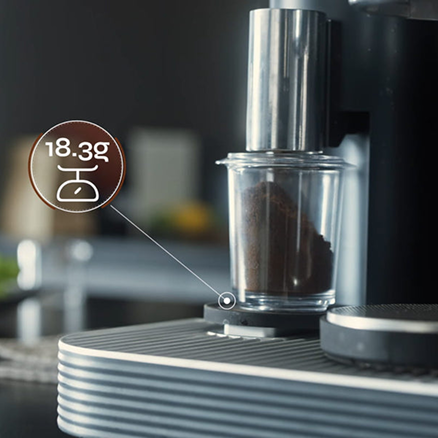
Save the dose and yield you already tasted twice — not a second profile invented from the menu alone.
Targets and ranges that keep you out of rabbit holes
Targets give profiles a spine. Prefer one weekday dose, one yield, one drink, and ranges — not a laboratory of parallel recipes.
Many homes start near a familiar ~1:2 brew-ratio habit (for example ~18 g in → ~36 g out) — café-culture baseline, not a law. Meraki’s guided café framing also uses drink-balance starts such as latte ~1:3 and cappuccino / flat white ~1:2; treat them as menu language and confirm live. Extraction time is a traffic light (mid-twenties into low thirties of seconds is a common home band), not a reason to spawn three profiles. Dual boilers + rotary pressure framed at steady 9 bar, and scales to ±0.2 g, support honest saves — not a license to chase hundredths or invent pressure libraries you do not own.
Useful vs gimmick decision table
| Profile idea | Useful when… | Gimmick / rabbit hole when… |
|---|---|---|
| Weekday dose + yield for one drink | You select it most mornings | You never open it after saving |
| Second profile for a second bean or user | That bean/user shows up weekly | “Maybe someday” bags |
| Café menu drink tile (latte / cappuccino / FW) | It matches the sticky drink | You save all tiles “to complete the set” |
| Temperature setpoint | You understand what changed in the cup | You nudge °C every shot without tasting |
| Grind remembered with the recipe | It matches the bag you still drink | You walk the dial “just to see” mid-save |
| Pressure / flow “pro” curves | You can name the taste job and your machine truly supports it | Forum tourism before sticky dose/yield exists |
| Steam “profiles” as texture automation | Your machine only stores temp feedback / stops | You expect saved foam art without technique |
| NFC / suggested starts (if available) | A compatible bag gives a shorter first guess | You treat suggestions as law and never taste |
Common mistakes and quick fixes
Most “programmable profiles feel useless” complaints are library clutter, not broken hardware. The programmable-boundary page covers over-automation philosophy; this table is useful-vs-gimmick practice only.
| Mistake | What you feel | Quick fix |
|---|---|---|
| Saving every menu tile day one | Decision fatigue each morning | Keep one weekday profile for seven days |
| Renaming / rewriting after every shot | No baseline; “the machine is random” | Two identical loops before any save |
| Changing grind and dose in one edit | No idea what the profile encodes | Freeze dose/yield; change grind alone |
| Guest-drink museum before sticky works | Hosting anxiety | Guest profile after weekday profile is boring |
| Pressure-profiling tourism first | Wasted beans; forum anxiety | Earn sticky dose/yield first (CoffeeGeek guides) |
| Confusing this page with the boundary explainer | Re-reading feature theory | Boundary = what can be programmed; here = what helps |
| Steam technique blamed on “missing profile” | Foam never improves | Soft-lane wand skill pages; texture is craft |
If dose and yield land but the cup is still wrong, use Meraki’s deeper dose and yield method — do not invent five new profiles here.
How to taste and decide what to change next
For profile decisions, taste answers two questions in order: Did the saved measured targets land? and Is the cup wrong in a nameable way?
Missed dose or yield → fix tare, cup seating, and puck prep before you touch the saved recipe. Targets landed but cup wrong → name it once: sour-fast usually wants finer; harsh-slow usually wants coarser; muddy “perfect” grams often wants distribution — a profile cannot level an uneven puck. Under milk, ask whether the espresso base still tastes like coffee once diluted before you spawn a second milk profile.
Change zero recipe variables until two loops match. Then change one variable per block — usually grind — update the save only after a clear win, and keep a three-line note: date · profile name · one taste word. SCA research and NCA brewing literacy still apply. Context appears in places like Barista Magazine; still judge your cup.
A one-week practice or habit plan
Same sticky drink and bean all week. Goal: one useful weekday profile you trust — not seven new recipes.
| Day | Habit focus |
|---|---|
| 1 | Finish two guided loops; write dose/yield; no save yet |
| 2 | Identical hands; confirm numbers land; one taste word |
| 3 | Save the weekday profile; verify restore once |
| 4 | Use only the saved profile; refuse menu tourism |
| 5 | Milk homes: steam after the trusted base; purge and wipe (FDA safe food handling) |
| 6 | Guest pace: two drinks from the same profile |
| 7 | Lock checklist; optional one second profile only if a real second job appeared |
Do not skip warm-up to “save power” and blame a cold first shot on the profile — home espresso energy is usually modest next to beans (energy.gov).
Day-7 lock checklist
- Sticky weekday profile still selected by default.
- Dose and yield targets still match what you drink.
- Grind left as saved (or updated once with a note).
- No orphan “experiment” profiles you never open.
- Milk path hygienic if used; wand purged and wiped.
- You can make two drinks without opening the full menu.
- A calm line for guests: “Weekday profile — still learning.”
When to stop tweaking and just drink
Stop when the weekday profile is automatic, dose and yield land without drama, and further saves would only serve curiosity. Programmable espresso machine profiles that help are a short, trusted library — not homework to visit every tile. Protect sticky targets on one roast. Rotate beans only when you will reconfirm dose and taste, then update that profile — not clone near-duplicates. Boundary explainers, touchscreen shopping, and steam-craft pages wait for their jobs. Your job after Day 7 is a quiet cup from a profile you trust.
FAQ
Which programmable profiles help beginners most? Usually one weekday dose + yield recipe for the drink you actually make, plus optional second slots for a second regular bean or household user. Beginners are hurt more by empty museums of tiles than by missing “pro” curves. Save after two honest loops; skip pressure/flow experiments until you can name sour vs bitter with sticky numbers.
How do I save brew presets without chasing perfection? Drink the cup twice at the same dose and yield, write the numbers, save once under a boring name, verify restore, then leave it alone for several days. Update only after one clear variable change (usually grind). Perfectionism shows up as daily rewrites; helpful presets show up as mornings you do not think about the menu.
What are common programmable espresso pitfalls? Saving every drink tile day one, changing grind and dose in the same edit, treating suggested starts as law, blaming foam texture on a missing “steam profile,” and confusing capability (pressure profiling threads) with weekday usefulness. Keep craft steps manual; program measurables you will reuse.
Is a crowded recipe library better than one sticky profile? No — not for beginners and busy intermediates. A crowded library slows mornings and hides the baseline you need for troubleshooting. Grow the library only when a second real job appears weekly. The programmable control and presets page still owns the craft-vs-measure boundary; this page owns library discipline.
Does this replace Meraki’s programmable control and presets article? No. That page owns what programmable means, what should stay manual, and how presets sit beside override. This page owns useful vs gimmick judgment, the save workflow, and a one-week practice plan. Read both when you want theory and practice — do not treat either as a rewrite of the other.
If your goal is programmable profiles that actually help on weekday mornings, run the useful-vs-gimmick filter and one-week plan above — and confirm today’s Meraki guided touchscreen, Grind → Dose → Brew → Steam path, dual boilers (~3–4 minutes warm-up), rotary pump (steady 9 bar), TIMEMORE® co-developed grind-to-scale dosing, dual scales (1 kg · ±0.2 g), and café-menu framing on the Meraki Espresso Machine product page when you want the guided all-in-one path. Interface context: touchscreen espresso machine for home. Support: Meraki Support (+1 833 854 9555, Mon–Fri 9 AM–5 PM EST).


